| Version 2 (modified by jdalbey, 7 years ago) (diff) |
|---|
Electronic Instructor Notebook Test Cases
Test Configuration
These tests assume dynamicdata\incident_script.xml is the full incident script.
In a terminal window (from webapps directory) execute: python einotebook/spikes/runTimer.py.
Application Startup
In a terminal window with webapps as the current directory, start the web server with the command: python -m CGIHTTPServer 8080
Open a web browser to localhost:8080/einotebook/
Four tabs appear with the first tab active ("Incident Summary"). The page content is a summary description for each of five incidents.
The timer in the upper right hand corner should be advancing according to the runTimer.py script.
The Simulation Script tab shows ...
Clicking "Jump to Current Event" results in ...
The Current Event tab shows ...
The Maps tab shows ...
Attachments
-
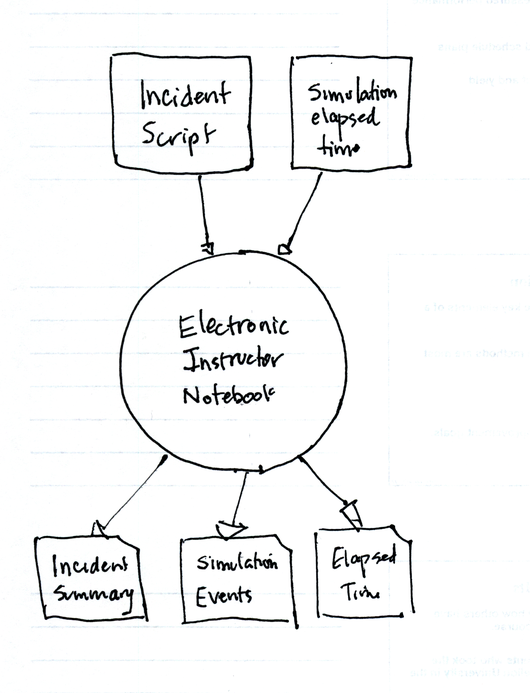
einotebook_context_diagram.png
 (213.1 KB) -
added by jdalbey 7 years ago.
(213.1 KB) -
added by jdalbey 7 years ago.
-
incident_script.xml
(9.0 KB) -
added by jdalbey 7 years ago.
System Test Script with two incidents
-
incident_multiple.xml
(10.6 KB) -
added by tanmay 6 years ago.
Multiple incidents at same time test file
-
incident_colors.xml
(14.0 KB) -
added by tanmay 6 years ago.