| Version 3 (modified by sdanthin, 6 years ago) (diff) |
|---|
The TMC Academy Traffic Management Center Simulator attempts to re-create any and all scenarios that could be played out on a California roadway, in order to train management center personnel to respond to incidents and events occurring on said roadways. This requires the simulator to duplicate, as close as possible, the form and feel of the real working environment, as to well-prepare the students for working in the field. This user manual is directed towards the ScriptBuilder component of the simulator, which is tasked with editing and creating new scenarios for the Simulation Manager to run. In its core, the Simulation Manager uses an XML file to store the scenario that is being simulated. Due to the clumsy nature of XML, editing said file is difficult and tedious. Thus, this application, ScriptBuilder, was created in order to facilitate the editing and creation of scenarios for the Simulation Manager.
A typical incident script is composed of
Script Builder tutorial
OUTLINE


Background
  Prerequisites: What the Simulation Manager does.
  How an incident script is structured.
  Major script builder features.

Overview Window

Stage 1|(01/29/20)

Creating a new Incident
  Incident Properties Dialog
  Incident Editor Window
  The Timeline
  Adding the first event

Stage 1.5|(02/05/20)

  Event Editor Window
  Adding more events
  Revising an Event
  Changing an event's time

Stage 2|(02/12/20)

  Modifying an Incident's timeline
        Add time to start or end
        Add or remove time from middle

Saving a Scenario
Opening an existing Scenario

Incident Pool Concept
Loading an Incident from the Incident Pool
Incident Pool Window

Stage 3|(02/19/20)

Saving a single Incident
  This saves WITHOUT units, is that correct?  Explain implication: won't run properly in Sim Mgr.

Loading Additional Units
  How default units are used.
  Why additional units may be needed.

Stage 4|(02/26/20)
Attachments
-
scriptOverviewWindow.png
 (17.0 KB) -
added by sdanthin 6 years ago.
(17.0 KB) -
added by sdanthin 6 years ago.
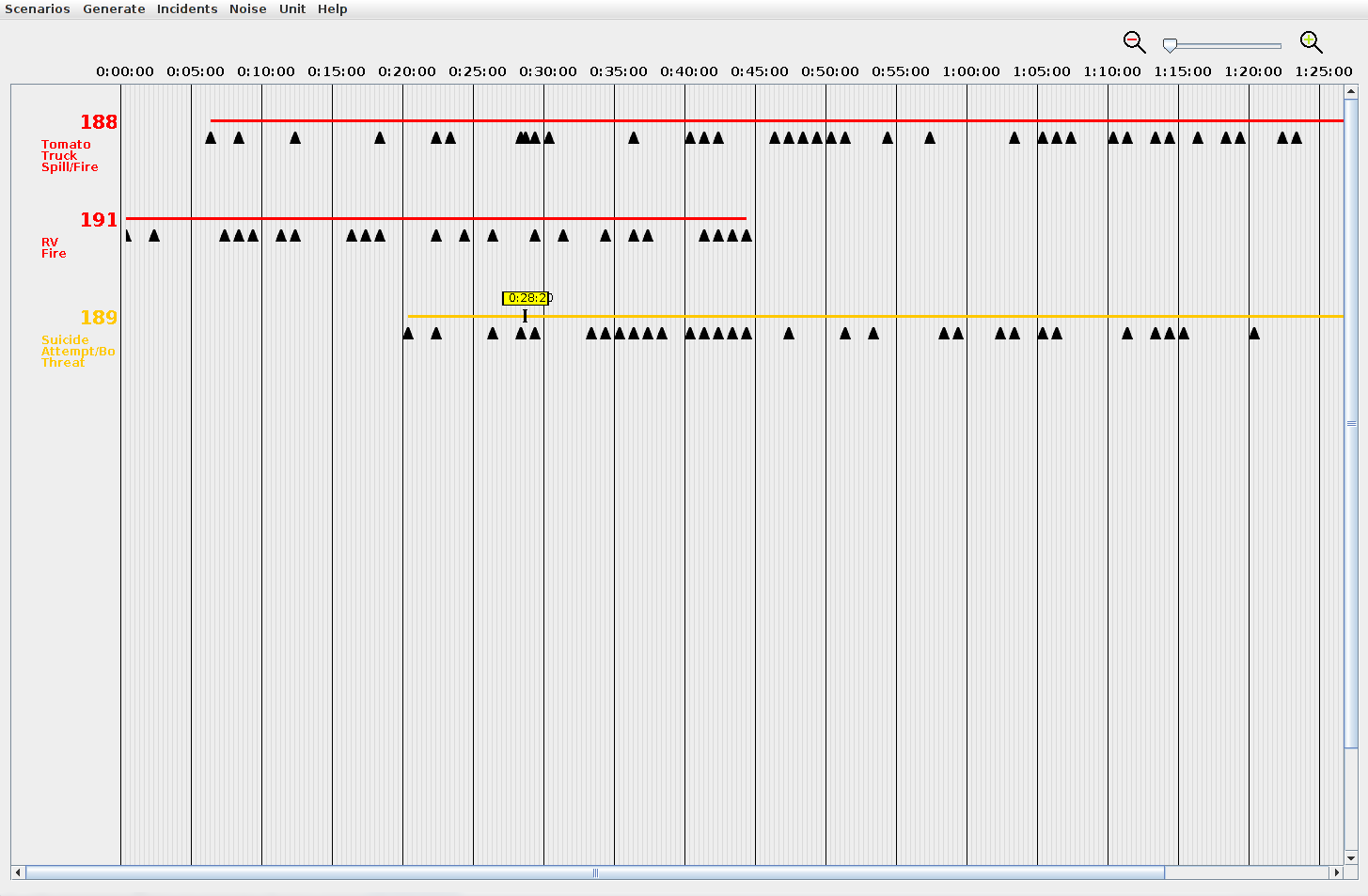
Image of script overview window with some example incidents placed.
-
incidentEditorOverviewWindow.png
(80.8 KB) -
added by sdanthin 6 years ago.
-
eventEditorOverviewWindow.png
(33.3 KB) -
added by sdanthin 6 years ago.
-
overviewMenuBar.png
(2.3 KB) -
added by sdanthin 6 years ago.
-
overviewTimeline.png
(2.7 KB) -
added by sdanthin 6 years ago.
-
overviewScenarioMenu.png
(5.0 KB) -
added by sdanthin 6 years ago.
-
overviewIncidentMenu.png
(4.1 KB) -
added by sdanthin 6 years ago.
-
overviewUnitMenu.png
(2.2 KB) -
added by sdanthin 6 years ago.
-
overviewRightClickMenu.png
(2.5 KB) -
added by sdanthin 6 years ago.
-
incidentPropertiesWindow.png
(11.5 KB) -
added by sdanthin 6 years ago.